

Chat with AI
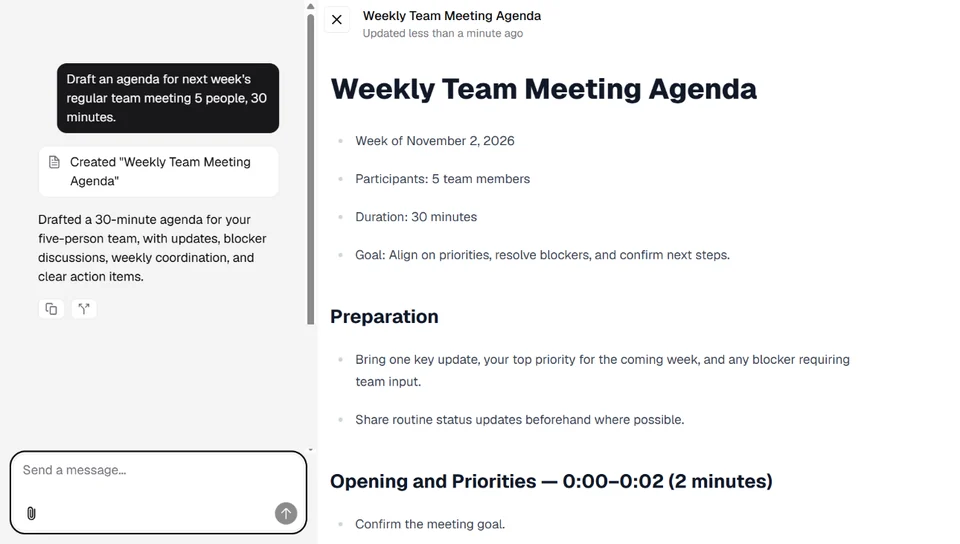
Ask questions, request drafts, rephrase, or summarize. Attach a document and type “Summarize this in 3 lines,” and it answers based on that document.

Use GPT-6.1 Sol free — up to ¥10,000 (excl. tax) per organizationUntil January 31, 2027 at the latest · Ends once the campaign allocation runs out
Learn moreNew
Use GPT, Claude, and Gemini right from the ovice sidebar. No separate AI subscriptions, no extra logins.
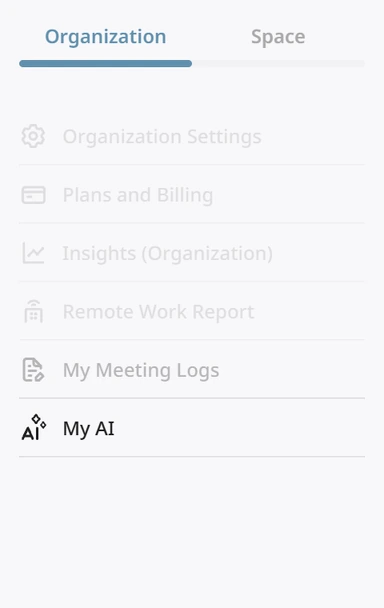
Open ovice and click “My AI” in the left sidebar — it opens in a separate window. Available on every plan, including Trial and Free.
How it's different from other AI services
When you start a conversation, pick GPT, Claude, or Gemini. No need to sign up for each service.
Your organization buys PASS, and all members share it. No more managing an AI subscription for every person.
No need to switch tabs or apps; open it from the ovice sidebar. We plan to let My AI reference your meeting records as well.
What's next for My AI →What you can do
From drafting text and reading documents to generating images, use it for the everyday tasks that come up at work.
Ask questions, request drafts, rephrase, or summarize. Attach a document and type “Summarize this in 3 lines,” and it answers based on that document.
Get answers based on information from the internet. Available when you choose a supported model.
Attach PDFs, Word, Excel, and PowerPoint files, images, CSVs, and more. You can attach several files at once.
Images (JPEG, PNG, WebP) / Documents (PDF, Word, Excel, PowerPoint) / Text (CSV, TSV, plain text, Markdown, HTML, JSON, etc.) / Source code. Up to 15 MB per file, and you can attach multiple files. Legacy Office formats, GIF, HEIC, audio, video, ZIP, and key files can't be attached.
AI creates text, code, tables, and charts. You can edit the results directly.
Create images with OpenAI or Google models, and video and music with Gemini.
Your conversation history is saved in the sidebar, so you can continue right where you left off.
How to start
No new account needed. Just log in to ovice as usual.
Use the browser, the desktop app, or the ovice Go mobile app.
Click “My AI” to open it. If you don't see it in the menu, please contact your organization's admin.
Pick GPT, Claude, or Gemini for each conversation. Your history stays in the sidebar, so you can come back to it later.
AI models
The best model for carefully polishing text isn't the same as the best one for quick answers. You choose each time you start a conversation.
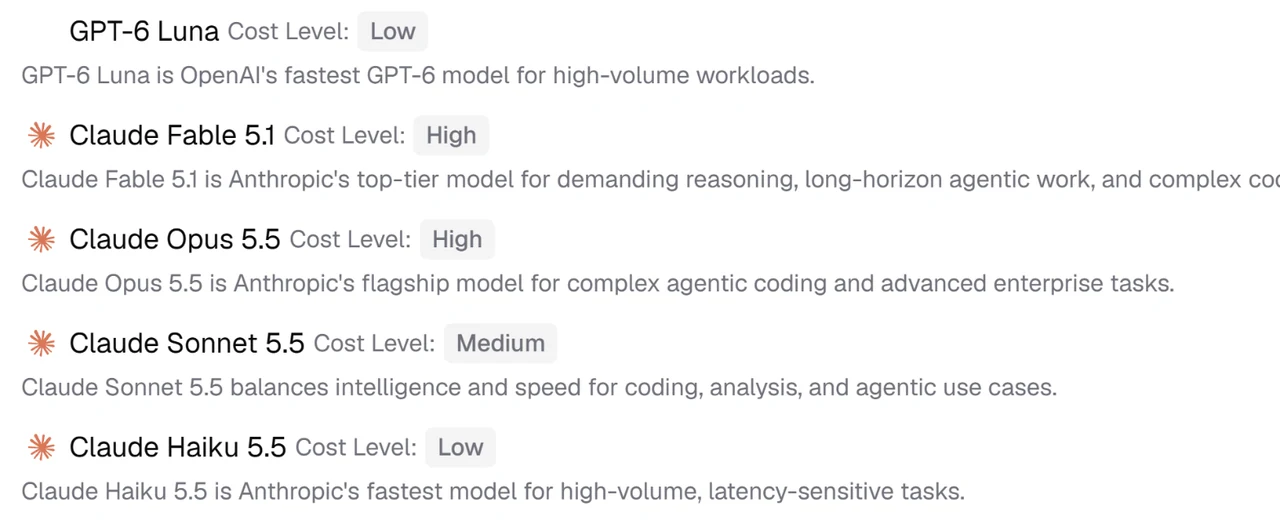
GPT series. Choose from top-tier models to models built for speed.
Claude series. Choose from top-tier models to models built for speed.
Gemini series. Choose from top-tier models to models built for speed.
Why it's safe to use
Text and files you enter in My AI are never used to train AI models.
Requires the Member role or higher in your organization. Guests can't use it.
Admins can turn the My AI menu on or off, choose which models are available, and set a monthly usage limit for each user. PASS usage and request counts can be viewed by user and by feature in Insights under organization settings, and exported as CSV.
In the desktop app, you can choose “Local AI,” which runs only on your computer.
About Local AI →FAQ
Our Help Center explains where to find settings and how to buy PASS, with screenshots.
Visit the Help Center →Anyone with the Member role or higher in the organization. Guests can't use it. All plans are eligible: Trial, Free, and paid.
Yes. It works in the browser, the desktop app, and the ovice Go mobile app. Local AI and Local translation are available only in the desktop app.
No.
GPT-6.1 Sol (キャンペーン) will no longer be available. If you buy PASS, you can use the regular GPT-6.1 Sol or other models. PASS can be purchased by the organization owner or anyone with the “Plans and Billing” permission.
Each conversation stays on one model. To use a different model, start a new conversation.
Up to 10 requests per minute and 120 per hour per person. If your admin has set a monthly usage limit, that limit also applies.
Admins can view PASS usage and request counts by user and by feature in Insights under organization settings. Counts for AI Concierge and Local AI (chat and translation), which don't use PASS, are shown too. You can also export the data as CSV.
Purchased PASS expires 180 days from the day after purchase. Refunds are not available.
Summarize documents, write replies, brainstorm ideas. Hand them off to AI without leaving ovice. For now, every organization can try GPT-6.1 Sol free, up to ¥10,000 (excl. tax) worth, until the campaign allocation runs out.


